
Read Time 2 mins
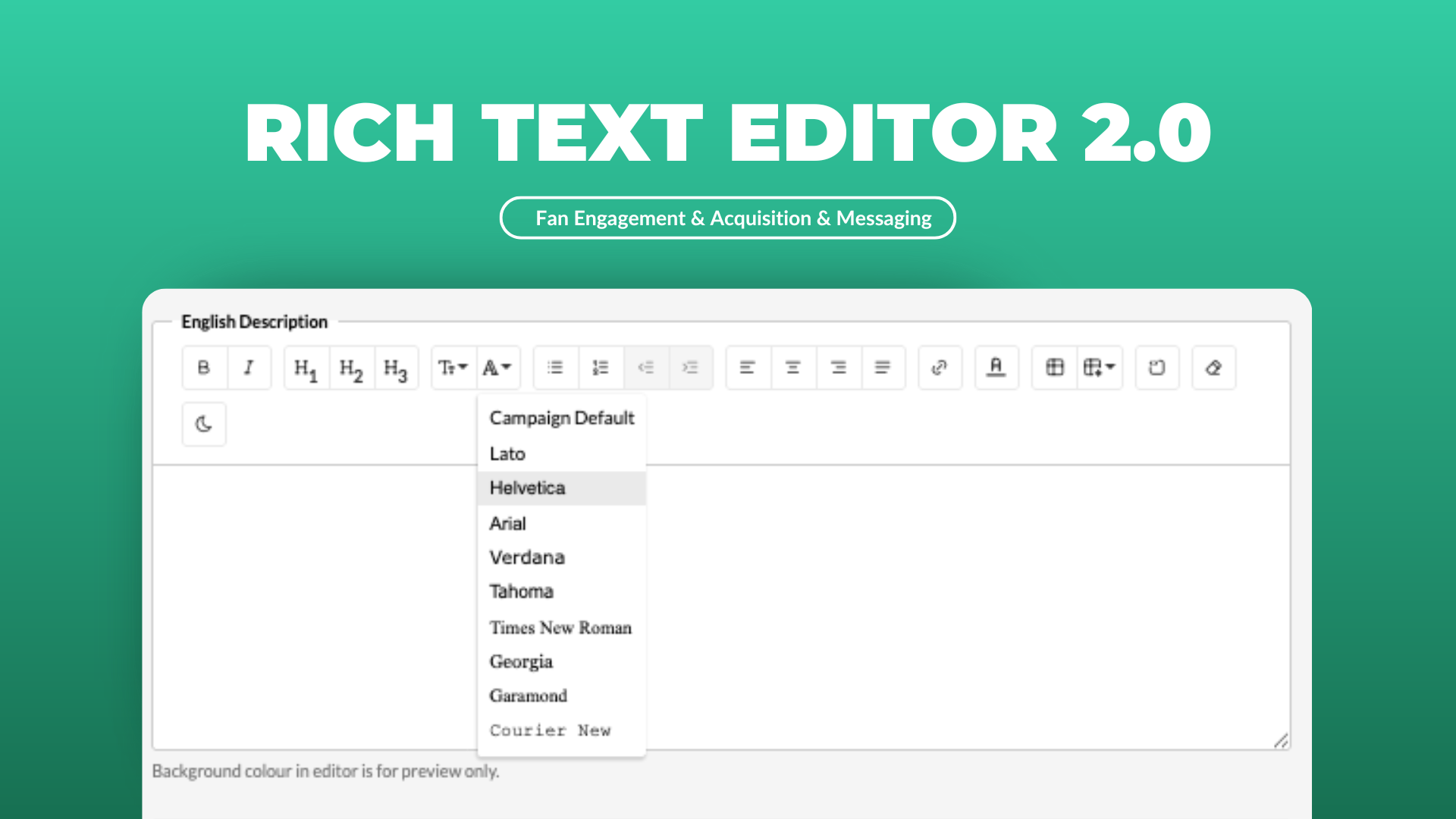
Tables, dark mode and font size - they’re back.
The last thing you want to struggle with in your campaigns is the copy. We’ve heard your feedback and are building back functionality so you can shape content the way you expect:
Tables are back.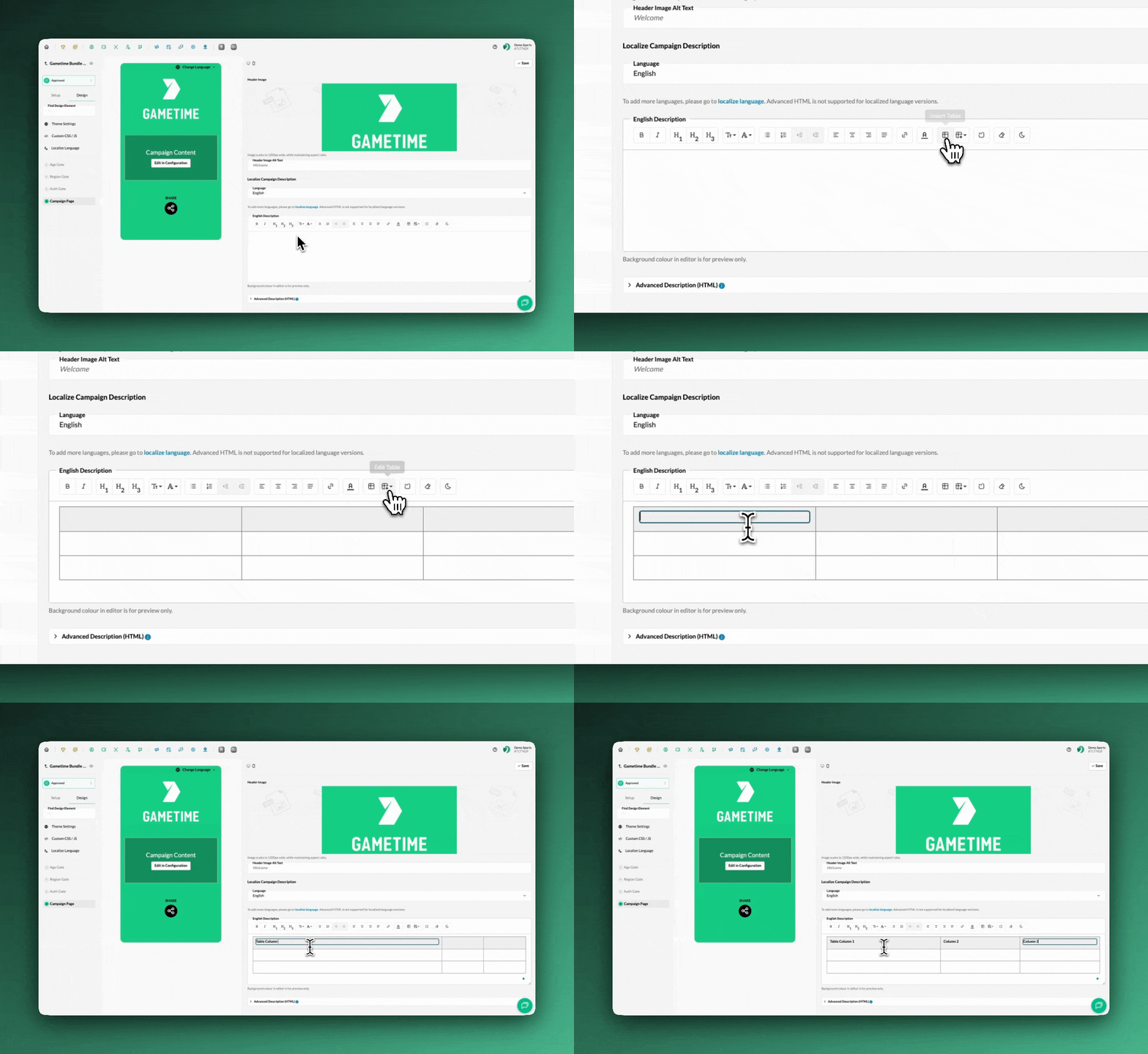
You can now build real tables directly in the editor. Tables are perfect for:
- Prizing grids
- FAQs
- Terms and Conditions
- Schedules
- Etc.
Add rows, delete columns, adjust tables - all in the editor. You can also copy-paste tables, which will save time when you already have a structure built elsewhere.
More font control.
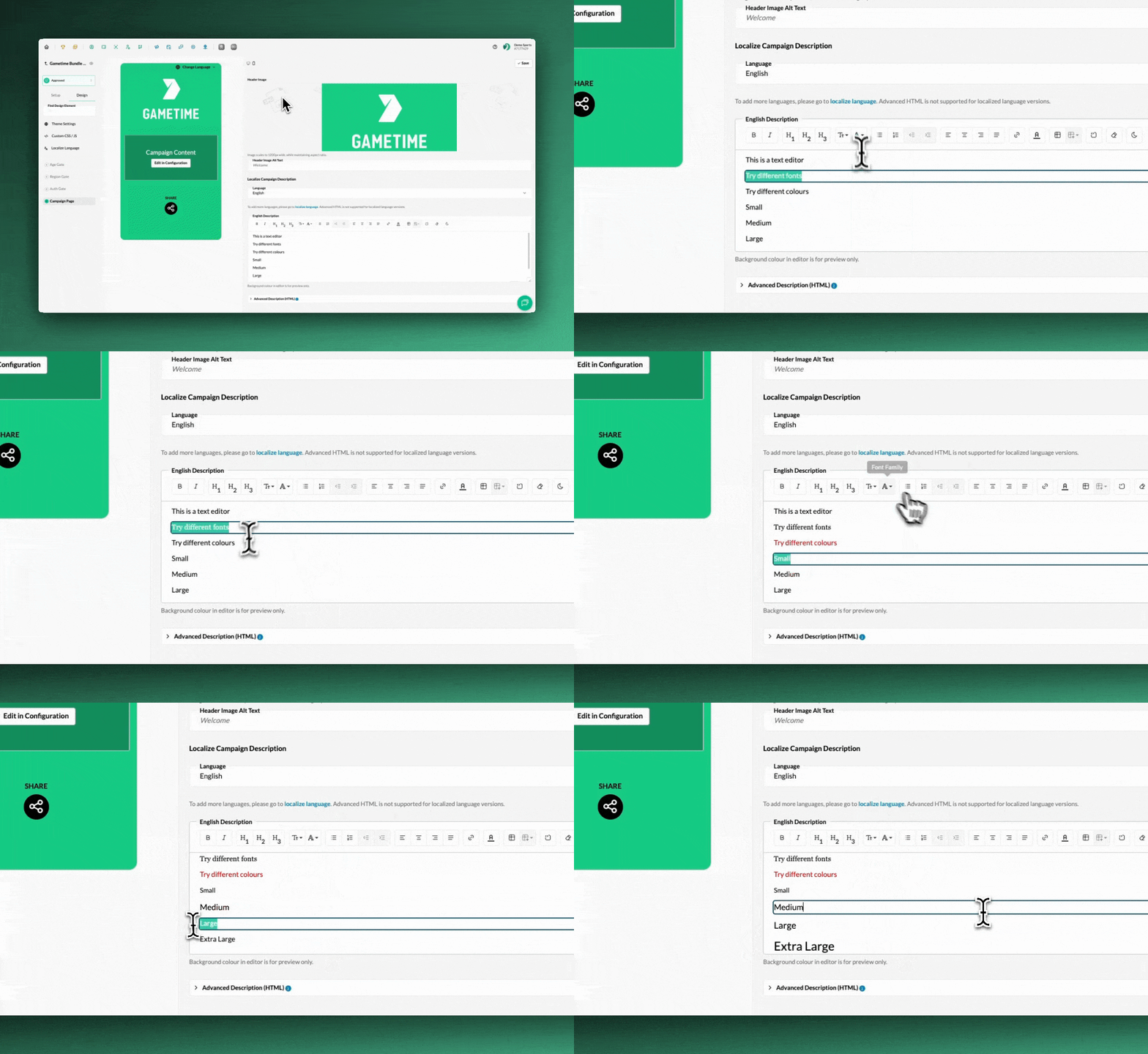
You now have control over:
- Font Family (a choice from Google Open Fonts)
- Font Size
- Font Colour
This makes it easier to adjust how copy looks to align with your campaign layout.
Light/Dark Background Preview
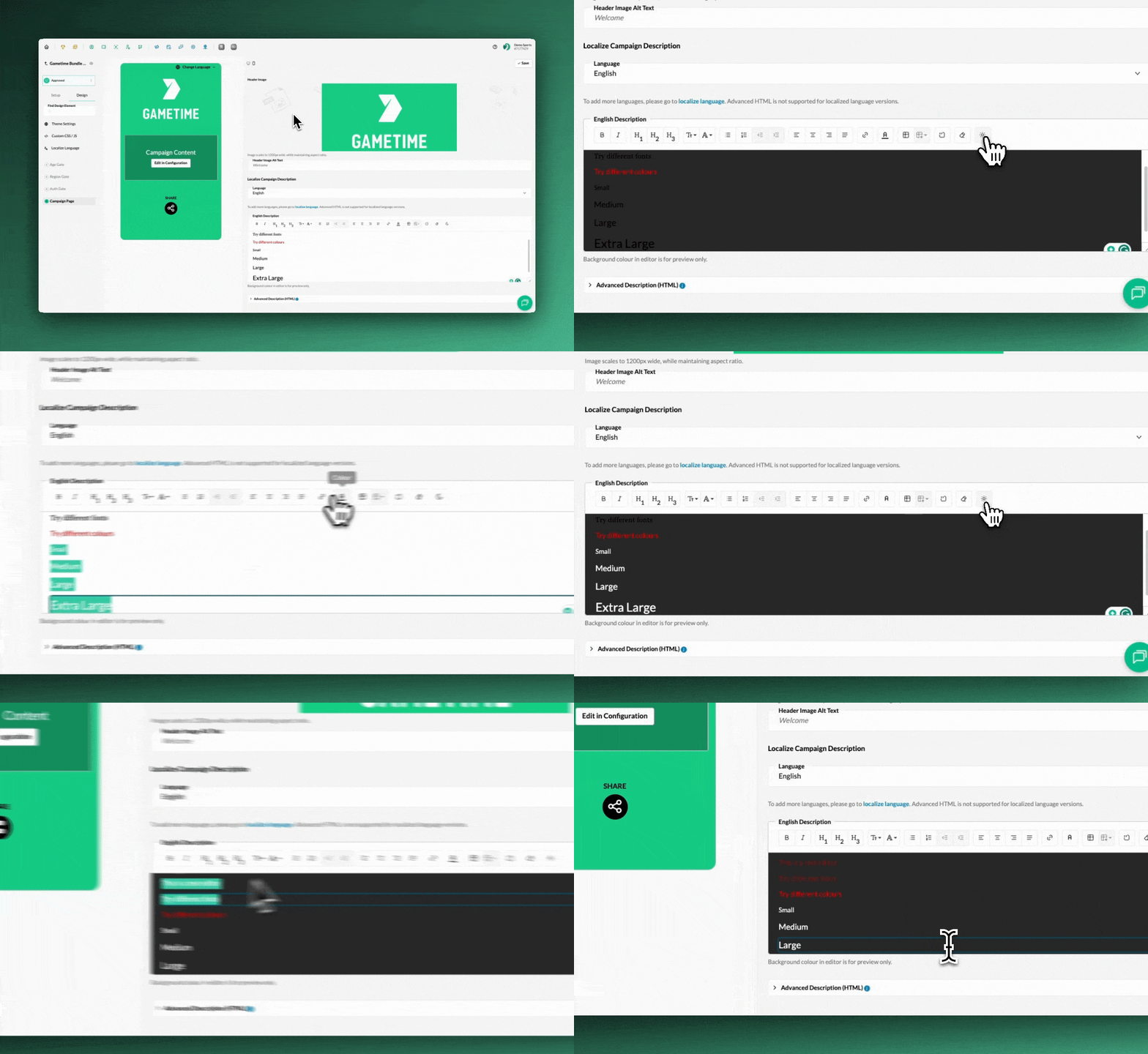
One of our biggest requests was a way to preview copy on dark backgrounds.
You can now toggle the text editor between light and dar, so you know exactly how your text will appear on a darker campaign theme (and you can see what you’re typing if you’re using white text). Which means less guessing.
These updates should make your build process for campaigns feel smoother. You can reach out to support@tradablebits.com should you have any further questions or feedback on the Rich Text Editor.