
Read Time 4 mins
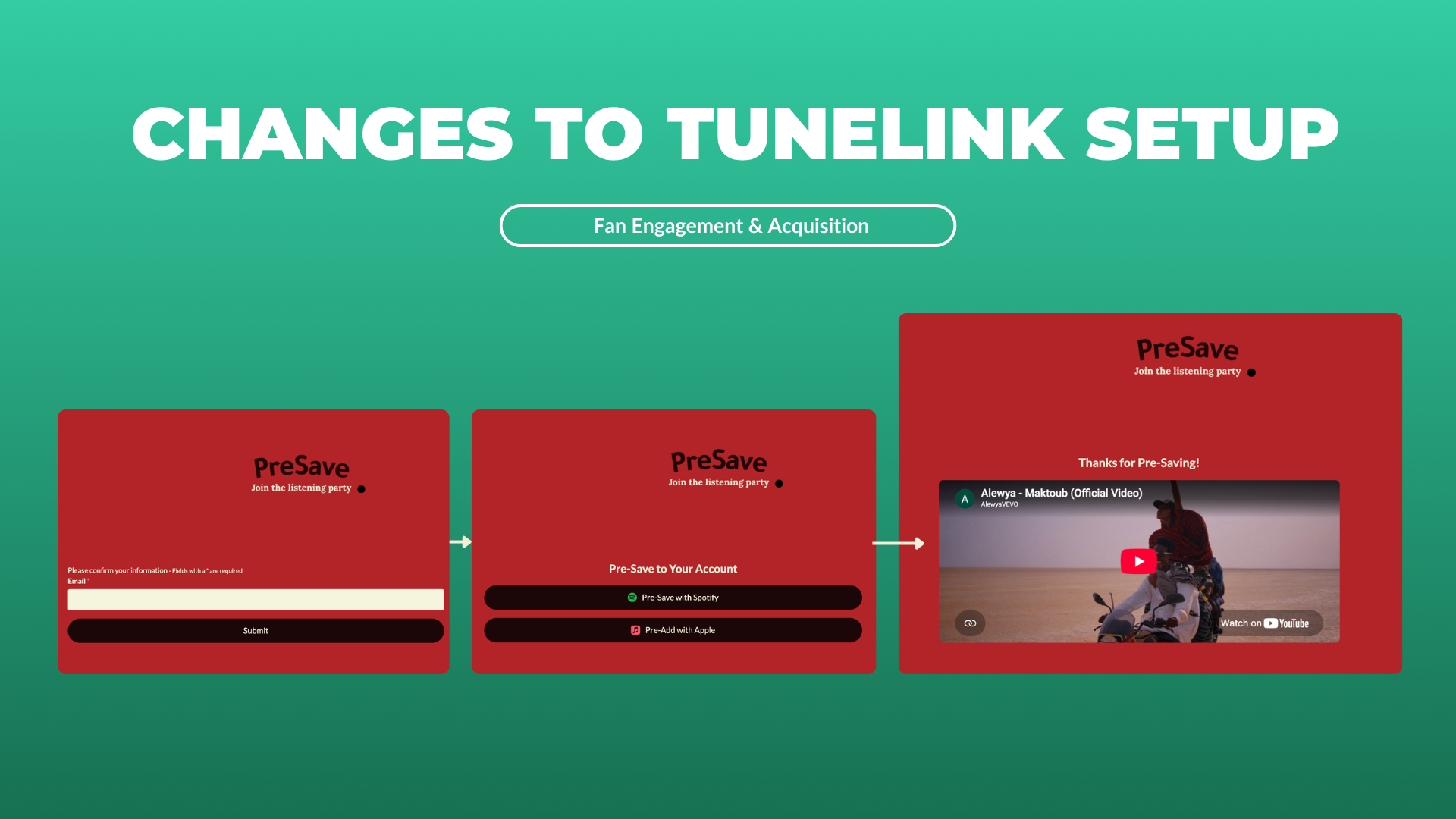
TuneLink's configuration has been rebuilt. Setup is faster, and one thing about how campaigns behave has genuinely changed.
What's changed in this release
If you've built a TuneLink campaign before, the configuration screen will look different. Three things to know:
- Smart Import. Paste a Spotify or Apple Music link and we'll pull the release details in for you — no more hunting for IDs.
- Release Date is now required, and it runs the campaign. Your campaign has a pre-release phase and a post-release phase, and the date you set is what flips between them. You no longer switch pages manually on release day.
- The sections are reorganized. "Pre-Save Page" and "Song Links Page" have been replaced by Release Identification, Quick Save Networks, and Post-Save Links.
Everything you could do before, you can still do. It's arranged differently.
Paste a link, skip the ID hunt: Release Identification Setup
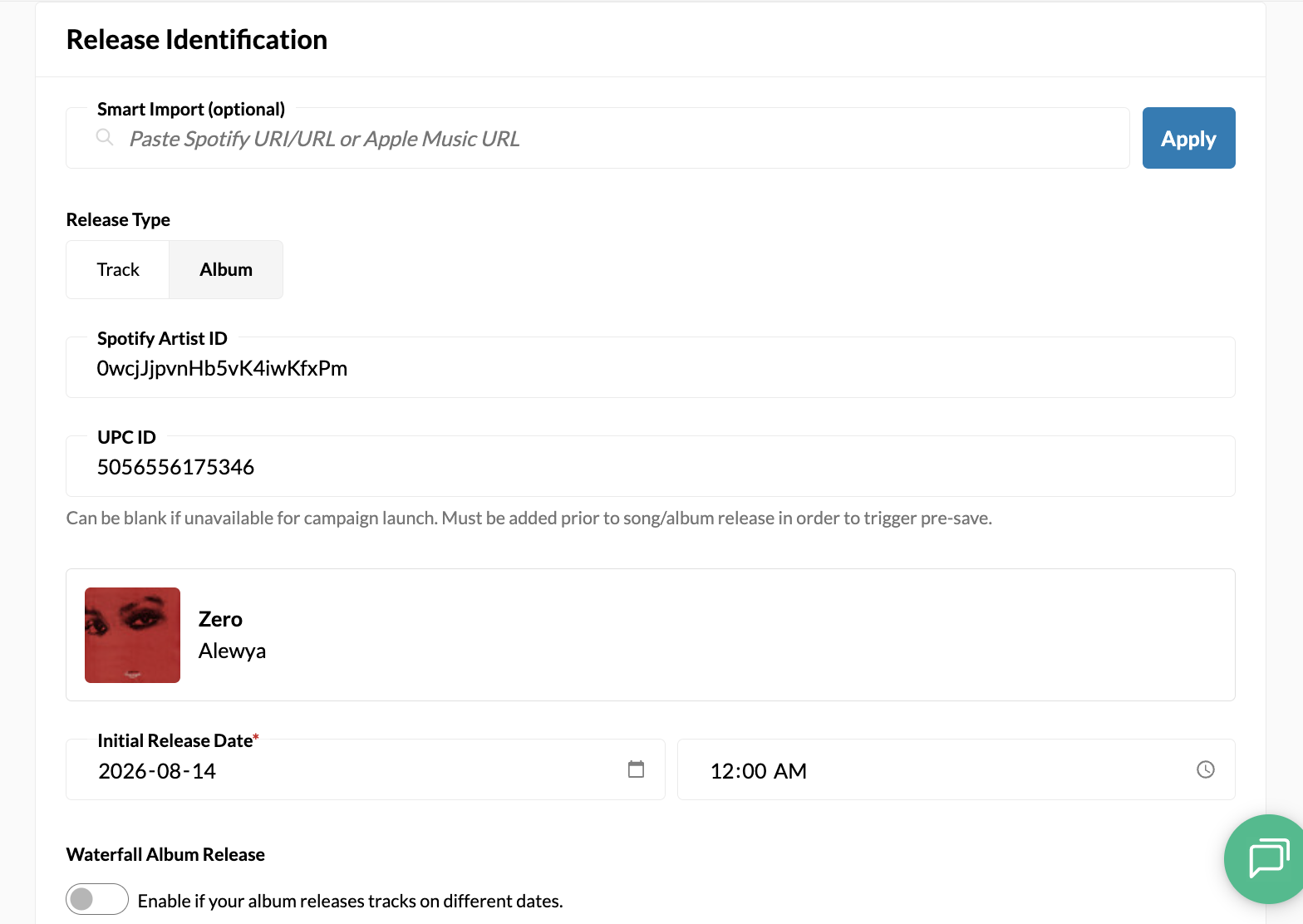
Previously, you had to know the Artist ID and UPC ID (for albums) or Artist ID and ISRC ID (for tracks) to set up your TuneLink campaign.
That still holds true for albums or tracks that haven't been released publicly yet. But if the release is already out, you can now paste the link and our system fills in the rest.
Another plus: we'll pull the album or song artwork in too, so you can confirm at a glance that you've picked the right one.
Release Date Required
This is the biggest change.
Previously, the Pre-Save Page and the Song Links Page were two separate things you configured independently. Now they're two phases of the same campaign - pre-release and post-release and that Initial Release Date is what triggers the flip.
-
Before the date, fans get the pre-save experience
- After the date, the page becomes a song landing page listing all of the links/embeds you've set up on the Post-Save Links phase, and the buttons say "Save to X" instead of "Pre-Save to X"
- Set a date in the past, and the campaign opens straight into post-release mode.
You can move the date later if the release moves, it just can't be empty.
Quick Save Networks
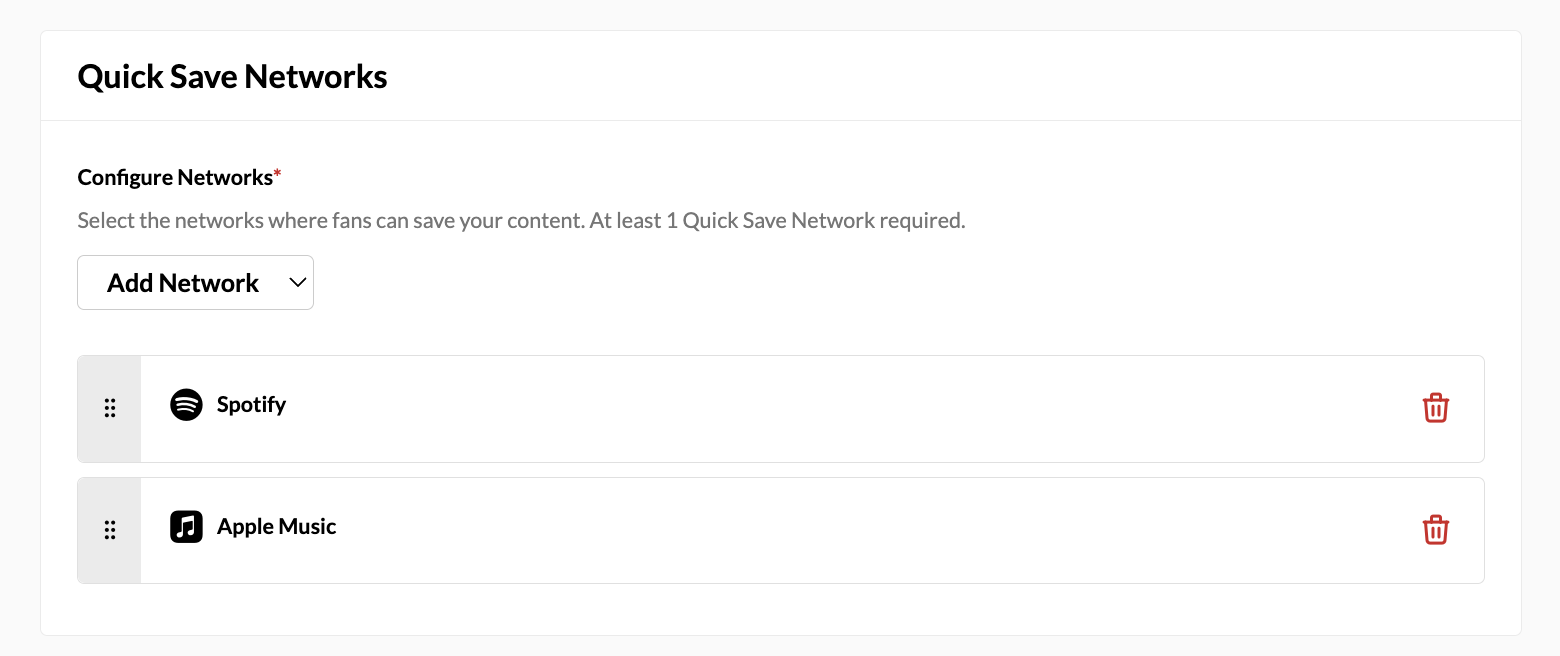
Pick which DSPs fans can pre-save on. Spotify and Apple Music are available today. Deezer and Amazon Music are on the roadmap.
Post-Save Links
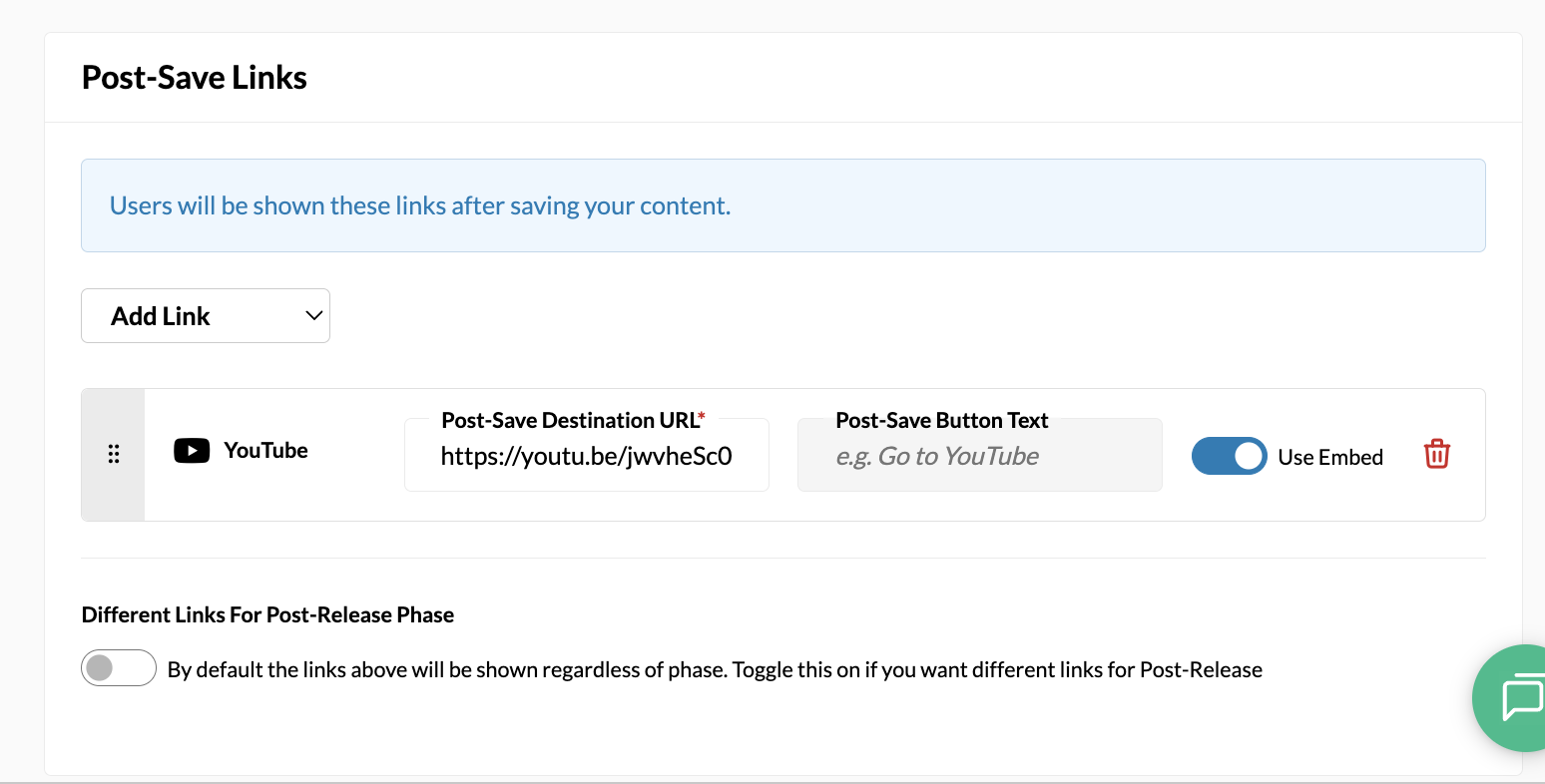
Post-Save Links are what fans see once they've saved. Nothing here is auto-populated; you enter the links directly, and what you enter is exactly what shows.
And, if you want fans sent somewhere different once the track is actually out, toggle Different Links for Post-Release Phase and set up a second batch. Once the "Initial Release Date" has passed, the page will change to display the second batch of links.
Embeds
Spotify, Apple Music and YouTube can embed directly on the Post-Save Link Page. Custom links and other services still work - they just render as button links.
Reporting is unchanged, as Pre-Saves are tracked in the same way, in the same place. If anything in the new setup doesn't behave the way you'd expect, email us at support@tradablebits.com